SuccessMaker Reports
Administrators of schools and districts that use Savvas SuccessMaker can access administrator intervention information, configuration settings, and reports for this platform directly in EasyBridge. Follow the steps below to easily navigate to the administrator SuccessMaker Reports through EasyBridge.
- Log-in to EasyBridge as an administrator with the required permissions for accessing SuccessMaker Reports (SuccessMaker Admin Dashboard and Reports).
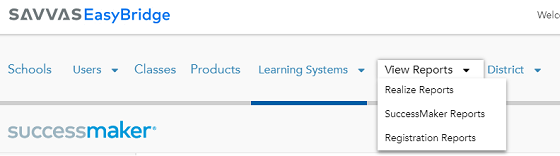
- Select View Reports on the top navigation in EasyBridge, and then select SuccessMaker Reports in the drop-down menu.

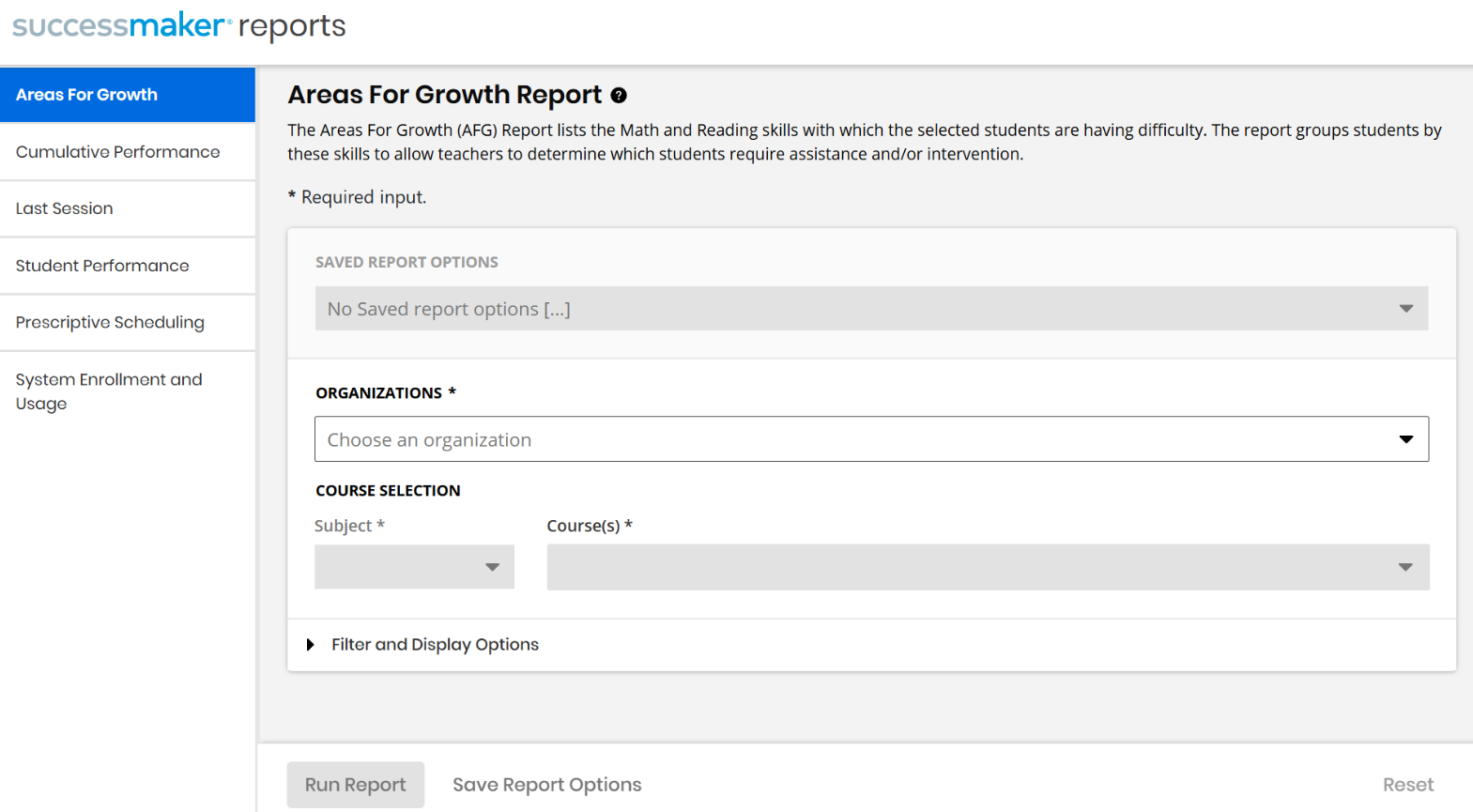
- A new tab will open to SuccessMaker Reports and automatically display the Areas For Growth Report.

-
Select any of the available SuccessMaker reports on the left. Select the needed options for the report on the right and then select the Run Report button.
The Run Report button will be disabled until one or more required fields have been selected on the right.
See also