New Year Rollover
New Year Rollover (NYR) is an automated process that prepares classes for the new school year by deleting them and releasing product subscriptions to be used for the next school year. SuccessMaker Assignments are removed during the New Year Rollover process. Go to SuccessMaker to review the student placement method prior to New Year Rollover.
Administrators can access past data for Realize courses via Realize Reports. Realize actively sends data to the Savvas Reporting Service on an ongoing basis. Administrators can access data as far back as April 2015.
District administrators can check the new year rollover date and status directly in Realize.
- Go to the District page.
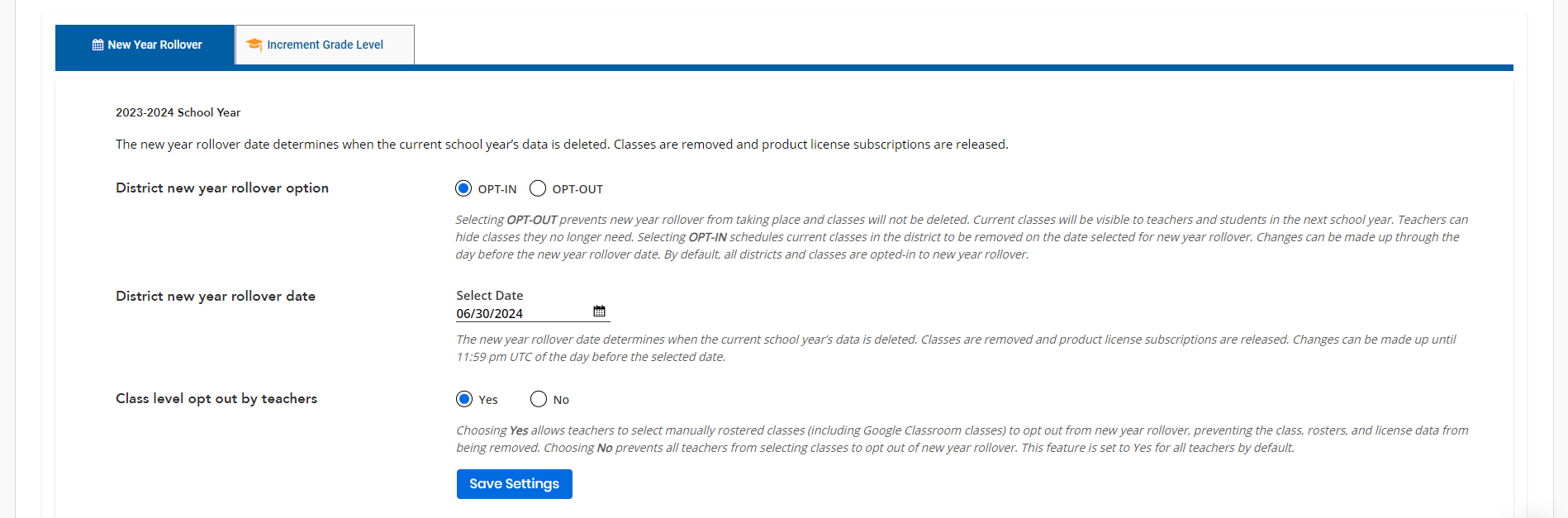
- Select New Year Rollover in the drop down menu. The new year rollover date is displayed on this page.
If the SuccessMaker products is used, a notification is received that changing the New Year Rollover date and class opt out options will not prevent SuccessMaker Assignments from being removed during the SuccessMaker New Year Rollover process.
Administrators in stand-alone schools (with no parent district) are considered school administrators and need to contact Customer Support to opt out of new year rollover or change the school new year rollover date.
A district administrator can configure three options related to the district's new year rollover. Select a topic below to learn more.
 District new year rollover date
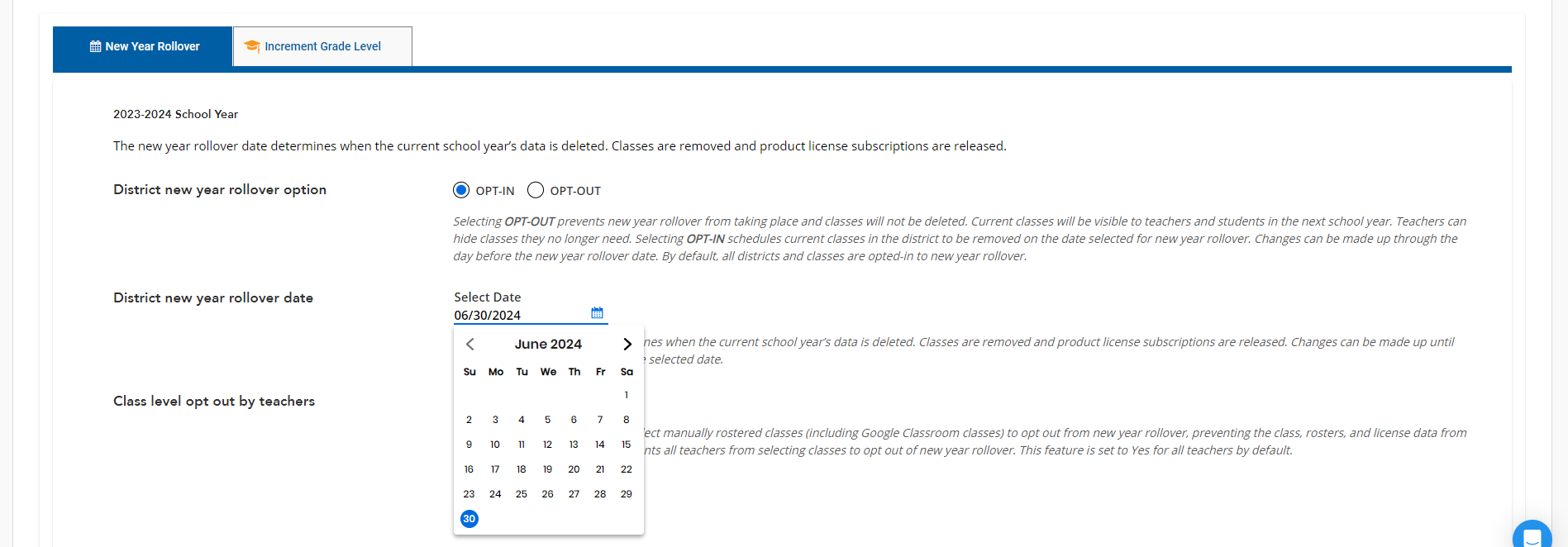
The new year rollover date determines when the current school year’s data is deleted. Classes are removed and product license subscriptions are released. Changes can be made up to the day before the date in the calendar component. Select the new year rollover date for the district using the calendar component. The new year rollover date can be between June 1st and August 15th.
However, the administrator cannot change the date after 11:59 PM UTC before the selected date.
Class level opt out by teachers
Teachers who have manually created classes and would like to keep them for the next academic year have the option to opt specific classes out of the new year rollover process. Districts that do not wish for their teachers to opt classes out can disable this feature through Realize.
-
Sign in to SavvasRealize with the district administrator's credentials.
- Navigate to the District page. Use the drop down menu to select New Year Rollover.
- Select the radio button for No. This prevents all teachers from selecting classes in Realize to opt out of new year rollover. By default, this setting is enabled and set to Yes. For their manually rostered classes in Realize, teachers see an option to retain that class for the next school year. See Class Settings for New Year Rollover in the Realize teacher help to learn more.
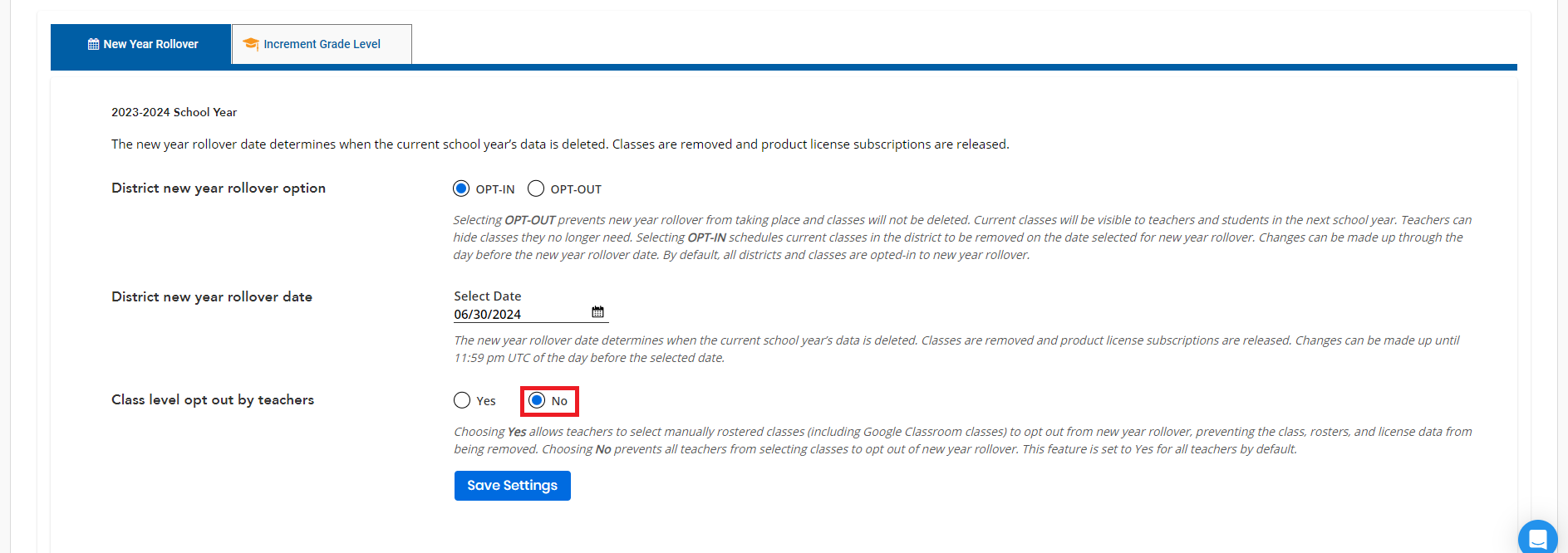
Classes that have been opted out of the new year rollover process can be easily filtered on the Classes tab. See Search for (Filter) Classes to learn how.
Academic Session
The Academic Sessions tab allows you to set dates for when the school year starts and ends. You must finish the New Year Rollover process before the academic start date unless you've selected to opt out of it (Auto-rostered customers can only opt out of New Year Rollover for manual classes). The Academic Session dates are required if you are licensed for SuccessMaker Math or Reading.
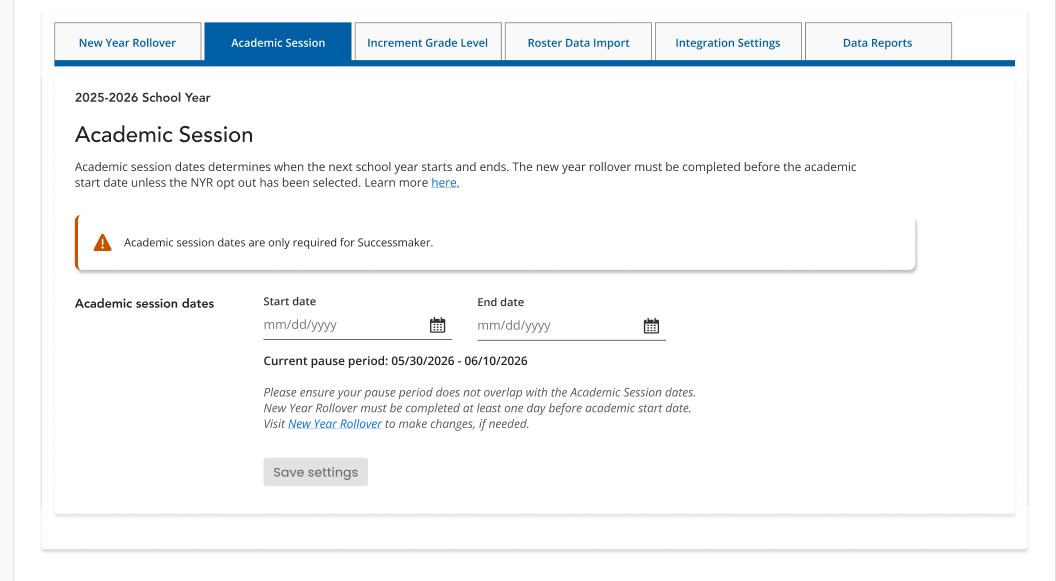
To set Academic Session dates:
-
Navigate to the District tab.
-
Select the Academic Session tab.
-
Use the calendar buttons to select an Academic Session start date and end date.
-
Press the Save settings button.
You can't use the New Year Rollover Pause Dates as the Academic Session Start Date, and you must plan and complete the New Year Rollover process on a date that occurs before the Academic Session Start Date.
If Academic Session dates are not set, the SuccessMaker Administrator Dashboard Widget will display an error message. See more on this page for information on this feature and how to resolve issues with missing data.