College and Technical Education Course Overview
In addition to K-12 education, Savvas provides college and technical education courses in Realize. You can access these courses through pre-packaged cartridges in the Browse menu, similar to programs. In the example image below, the Cybersecurity II cartridge is labeled CTE, which tells you that this cartridge is a College and Technical Education course.

A CTE course functions similarly to other Realize courses. You can access most of the same features that you can in a typical K-12 course utilizing a Realize program, as detailed in the Assignments section. You also have access to teacher resources that can help you teach a CTE course.

Assignments
Savvas CTE assignments look and function differently than typical K-12 assignments. Below is an example of a Savvas CTE assignment, with numbers to label the features to a Savvas CTE assignment: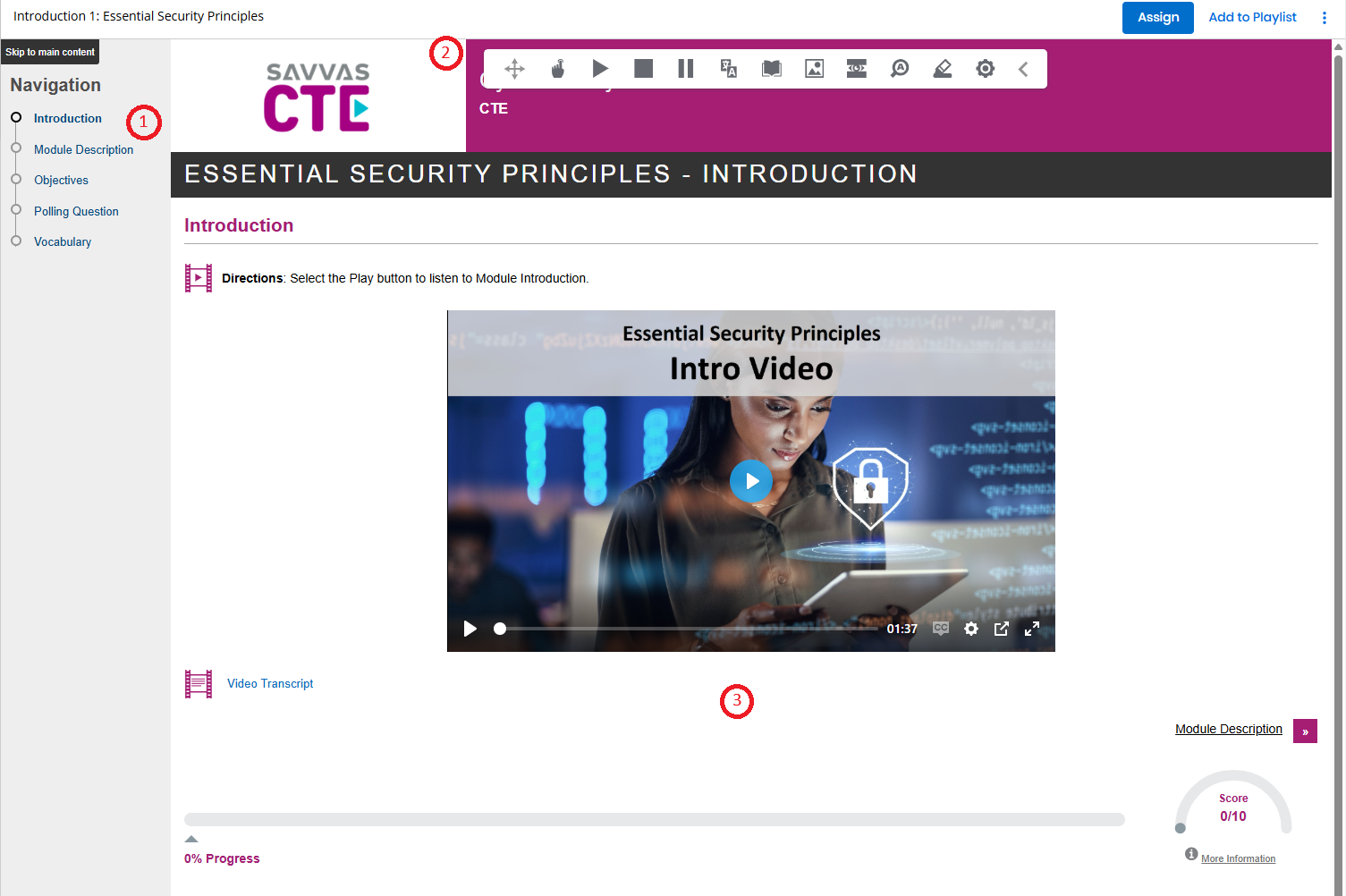
Navigation: An index of the parts of the assignment. You can travel to different parts by selecting the name in this index.
Toolbar: A toolbar of icons to help you interact with a Savvas CTE assignment:
 : Select to move the toolbar around.
 : Select to use text-to-speech by selecting or hovering over a word.
 : Select to begin audio playback for the entire page or a selection.
 : Select to stop speech playback.
 : Select to pause speech playback.
 : Select to translate selected text.
 : Select to receive the dictionary definition for a selected word.
 : Select to receive a picture dictionary definition for a selected word.
 : Select to open a screen mask, allowing the reader to focus more effectively on a selection.
 : Select to automatically enlarge text as it is read aloud.
 : Select to open options for annotating the assignment.
 : Select to open settings.
 : Select to collapse the toolbar.
Assignment Panel: The area where the body of the assignment is located. A bar and a score meter keep track of a student's progress in the assignment.


With that, you're able to access and navigate a Savvas CTE assignment.